Nobody calls us because their backup ran successfully last night. They call because something broke, something got encrypted, or something disappeared , and they need it back. Now.
After 35 years of backup and disaster recovery services in the Bay Area, here’s the uncomfortable truth we tell every new client: your backup is worthless if you’ve never tested a restore.
That’s not a scare tactic. That’s Tuesday.
Why Does Backup Fail When You Need It Most?
Most backup failures aren’t technical , they’re assumptions. Organizations assume the backup is running, assume the data is complete, assume recovery will be fast. Then the day comes when they actually need to restore, and they discover their “backup” has been silently failing for six weeks.
According to ITIC’s 2024 reliability survey, over 90% of businesses report that a single hour of downtime costs more than $300,000. For small and mid-sized organizations , the kind we work with every day , the numbers are lower but still devastating: $8,000 to $25,000 per hour in lost revenue and productivity. That’s not counting the reputational damage or the compliance headaches that follow.
We’ve seen it firsthand. An organization comes to us after a ransomware event, and when we ask about their backup strategy, we get a confident answer: “Oh, we use [vendor name].” Great. When’s the last time you ran a test restore? Silence.
What Are RTO and RPO , and Why Should You Care?
RTO (Recovery Time Objective) and RPO (Recovery Point Objective) are the two numbers that define whether your business survives a disaster or just survives long enough to close.
- RTO is how long you can afford to be down. If your RTO is four hours and recovery takes twelve, you’ve got eight hours of bleeding revenue, angry customers, and panicking staff.
- RPO is how much data you can afford to lose. If your RPO is one hour and your backup runs nightly, you’re looking at up to 23 hours of lost work after a failure.
Here’s what we tell clients: pick your RTO and RPO before you pick your backup solution. Not after. The technology should fit the requirement, not the other way around. We’ve walked into environments where someone bought an expensive backup appliance that doesn’t come close to meeting their actual recovery needs , because nobody asked the right questions first.
What Does a Real Backup and Disaster Recovery Strategy Look Like?
A tested one. That’s the short answer.
The longer answer involves layered protection , what the industry calls the 3-2-1 rule, though we push most clients toward 3-2-1-1: three copies of your data, on two different media types, one offsite, and one immutable (meaning ransomware can’t encrypt or delete it).
Onsite Backup: Speed When You Need It
Local backup gets you fast restores for the everyday stuff , someone accidentally deletes a file, a server hiccups, a database gets corrupted. We typically deploy appliance-based solutions that snapshot critical systems every 15 minutes to an hour, depending on the RPO the client needs.
The catch? Onsite backup alone is a single point of failure. If the office floods, burns, or gets broken into, your backup goes with it.
Offsite and Cloud Backup: The Safety Net
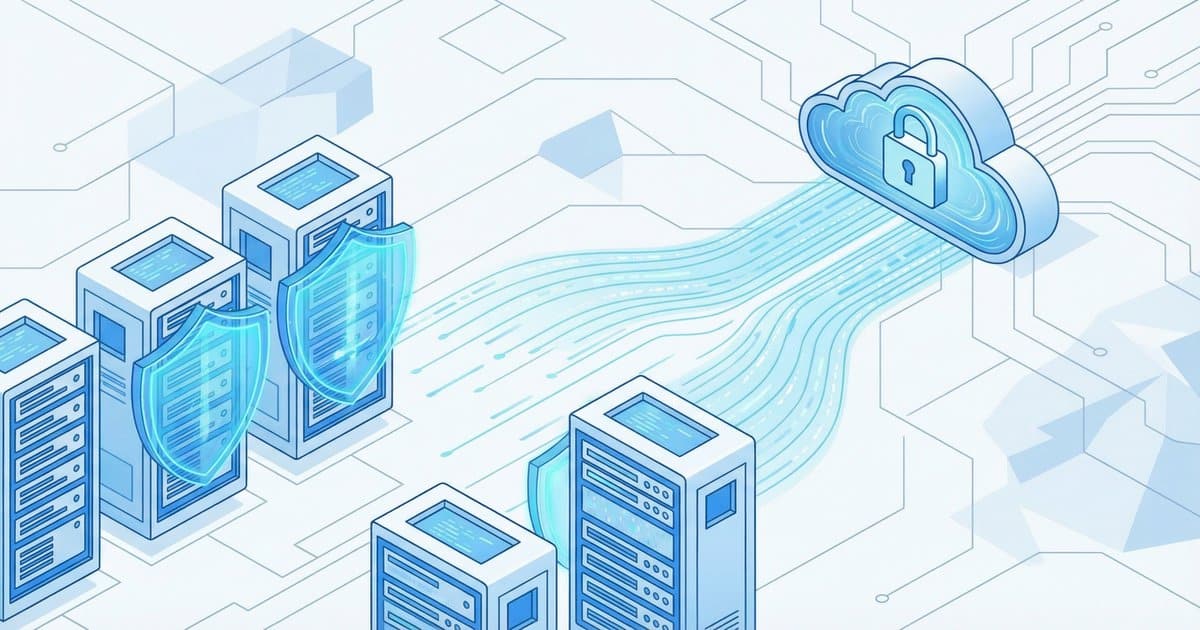
Offsite replication is where disaster recovery actually lives. Your production environment can be completely destroyed, and you can still recover , if your offsite copies are current, tested, and accessible.
The disaster recovery as a service (DRaaS) market hit $22.4 billion in 2025 for a reason: businesses are finally understanding that “the cloud” isn’t just storage, it’s a recovery platform. We help clients spin up entire environments in the cloud within hours when their primary infrastructure is compromised.
Immutable Backup: The Ransomware Insurance
This is the piece that too many organizations still skip. Immutable backups can’t be altered or deleted for a defined retention period , which means even if an attacker gets domain admin credentials and encrypts everything in sight, your immutable copies survive.
We wrote about exactly this scenario in our ransomware recovery case study , a real engagement where we rebuilt an entire Active Directory environment across seven offices in 72 hours. The organization had backups. What saved them was that the right backups were isolated and untouched.
How Often Should You Test Your Disaster Recovery Plan?
Quarterly at minimum. Monthly if you’re in a regulated industry. And “test” doesn’t mean “check the dashboard and see green lights.”
A real DR test means simulating a failure scenario and walking through the actual recovery process. Can you restore a critical server from backup? How long does it take? Does the application actually work after restoration, or did something break in the process? Are your people trained on the runbook, or are they seeing it for the first time during an actual emergency?
We run DR tests with our managed clients on a regular cadence. Every single time, we find something , a changed IP address, a new application that wasn’t included in the backup scope, a credential that expired. Better to find that in a test than at 2 AM on a Saturday when the file server is down and the CEO is calling.
What’s the Difference Between Backup and Business Continuity?
Backup is a component of business continuity , not a synonym for it. Backup answers “can we get the data back?” Business continuity answers “can we keep operating?”
A solid business continuity plan covers communication chains, alternate work locations, vendor dependencies, and the human side of disaster response. Backup is the technical foundation that makes all of that possible.
We’ve been building business continuity frameworks for Bay Area organizations , municipalities, school districts, professional services firms , for decades. The technology changes every few years. The fundamentals don’t: know your risks, document your plan, test it regularly, and fix what breaks.
FAQ
How much do backup and disaster recovery services cost?
It depends entirely on your environment , how much data, how many systems, what RTO/RPO you need, and whether you want managed or self-managed. For a typical small business with 1-3 servers, expect $500–$2,000/month for a fully managed backup and DR solution with cloud failover. The real question isn’t what it costs , it’s what downtime costs you without it.
What’s the 3-2-1 backup rule?
Three copies of your data, on two different media types, with one copy offsite. We recommend adding a fourth element , one immutable copy , making it 3-2-1-1. That immutable copy is your last line of defense against ransomware.
How long does disaster recovery take?
With proper planning and tested backups, critical systems can be restored in hours , not days. Without tested backups, we’ve seen recoveries stretch into weeks. The difference is entirely about preparation.
Do small businesses really need disaster recovery?
Yes. Smaller organizations are actually more vulnerable because they typically lack redundancy. When your single file server goes down, everyone stops working. When your only copy of QuickBooks gets encrypted, your business stops functioning. Disaster recovery isn’t enterprise-only , it’s survival.
Can ransomware encrypt my backups?
Absolutely , and it’s one of the first things sophisticated attackers target. That’s why immutable and air-gapped backups are critical. If your backup is reachable from the same network as your production systems, assume an attacker can reach it too.
Eaton & Associates has provided backup and disaster recovery services to Bay Area businesses, municipalities, and school districts since 1990. If your backup strategy hasn’t been tested recently , or if you’re not sure it would actually work , let’s talk.