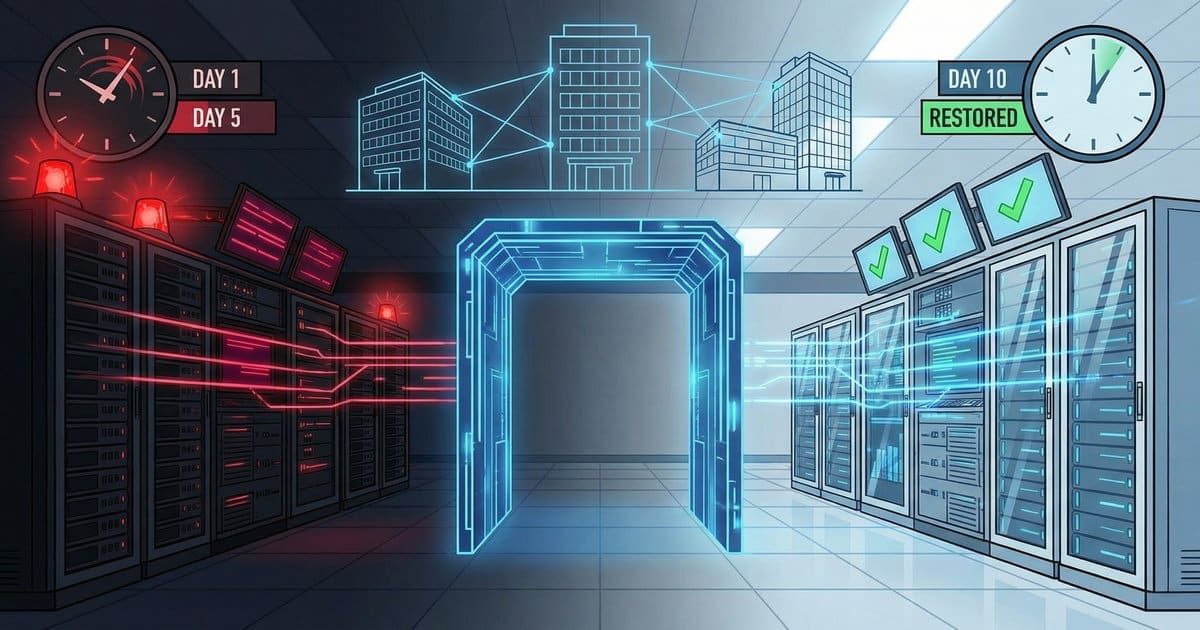
The call came in on a Friday evening. A Bay Area construction company, 350 users, seven offices, projects worth tens of millions on the line, had just watched ransomware tear through every domain controller and file server they owned. By Tuesday evening, we had them back. This is how.
After 35 years in managed IT, we’ve seen a lot. But this ransomware recovery is the one we keep coming back to, not because it was the worst attack we’ve responded to, but because every decision we made in those five days carries a lesson that most businesses learn too late. This is a ransomware recovery case study from the field, no sanitized vendor marketing, just what actually happened.
What Happened: The Attack That Hit Everything
In 2024, a mid-size construction firm in Northern California, one of our managed services clients, got hit with ransomware that spread from their headquarters’ domain controllers to every DC across all seven offices. Every file server was encrypted. Every office was affected simultaneously.
How? A flat network. Each office operated on a single subnet with zero segmentation between them. Once the attackers had the domain controllers at HQ, they had the keys to the kingdom. The ransomware replicated across sites faster than anyone could react.
There was no endpoint detection and response (EDR) in place, just traditional antivirus, which did exactly nothing against a modern ransomware payload. According to the Sophos State of Ransomware 2024 report, 94% of ransomware attacks involve attempts to compromise backups, and traditional AV alone is no match for today’s threat actors. This client’s environment proved that statistic in real time.
Friday Evening: The Call That Changes Everything
The phone rang after business hours. It always does. Ransomware operators are strategic, they strike when your team is heading home, when response is slowest, when panic is highest.
Within the first hour, we confirmed the scope: total domain compromise. Every Active Directory domain controller across all seven offices, encrypted or compromised. File servers, encrypted. The entire identity infrastructure that 350 people relied on to do their jobs every day was gone.
Here’s where experience matters more than playbooks. We had a decision to make immediately, and it’s one that would define the entire recovery: do we try to restore the compromised domain controllers, or do we burn it all down and rebuild from scratch?
The Hardest Decision: Rebuild Everything From Scratch
We chose scorched earth. And it’s the reason this client was back online in five days instead of five weeks.
Here’s the calculus. When ransomware compromises your domain controllers, you can’t trust anything those DCs touched. Active Directory is the root of trust for your entire Windows environment, every user account, every group policy, every authentication token flows through it. If attackers owned your DCs, restoring from a VM-level backup means you might be restoring the exact backdoor they used to get in.
We confirmed that file-level backups were solid. The data itself, project files, documents, financial records, was recoverable. But VM-level backups of the domain controllers? No confidence. And in a ransomware response, “no confidence” means “don’t touch it.”
So we made the call: brand new Active Directory infrastructure. New domain. New user accounts. New Group Policy. New everything. The IBM Cost of a Data Breach Report 2024 found that only 12% of organizations fully recover from a breach, and it takes more than 100 days on average. We weren’t going to let this client become that statistic.
Saturday & Sunday: Building a New Foundation Under Fire
The weekend was a controlled sprint. While most of the Bay Area was sleeping in, our team was architecting and deploying an entirely new network infrastructure.
New subnets with proper segmentation. The flat network that allowed ransomware to cascade across seven offices? Gone. We rebuilt with VLAN segmentation, each office isolated, each subnet with purpose-built access controls. If this ever happened again, an attacker who compromised one office would hit a wall trying to reach the next one.
New Active Directory from the ground up. Fresh domain controllers. Fresh organizational units. Fresh Group Policy Objects designed with security-first principles, not the accumulated technical debt of years of “we’ll fix it later.”
New O365 synchronization. Every user’s cloud identity had to be re-established. Azure AD Connect configured from scratch to sync with the new on-prem AD. Email had to keep flowing, construction projects don’t pause because your IT infrastructure got nuked.
CISA’s ransomware guidance is clear on this point: network segmentation is a foundational defense that limits lateral movement and reduces the blast radius of any future compromise. We weren’t just recovering, we were making sure the next attack would be contained before it started.
Monday: 350 Endpoints, 7 Cities, One Gold Image
This is where the operation went from technical to logistical.
Every single endpoint, approximately 350 workstations across seven offices in multiple cities, needed a fresh Windows installation from a gold image. Not reimaged over the network (which we no longer trusted). Fresh installs. By hand. In person.
We coordinated subcontractors across multiple cities simultaneously. Each team had the same gold image, the same deployment checklist, the same security baseline. Every machine got:
- Fresh Windows install from verified gold image
- Joined to the new domain
- EDR deployed immediately, not traditional AV, real endpoint detection and response
- Security policies applied from the new, hardened Group Policy
- User profiles configured for the new domain accounts
Coordinating this across multiple cities with subcontractor teams is the kind of thing that breaks recoveries. It requires clear communication, rigid standardization, and people who’ve done it before. One office getting a different configuration, one laptop missing the EDR agent, one machine joined to the wrong domain, any of these can extend your recovery by days.
The Sophos data backs this up: 34% of organizations take more than a month to recover from ransomware. The difference between a five-day recovery and a five-week recovery isn’t just technical skill, it’s operational discipline.
Tuesday: Data Restoration and the Final Push
With the infrastructure rebuilt and endpoints deployed, the final phase was restoring the data. But not blindly.
Every file restored to the file servers was scanned before it touched the new environment. We weren’t about to rebuild a clean infrastructure and then drop potentially infected files back onto it. This is a step that gets skipped under pressure, “just get the data back, we’ll scan later.” Later never comes, and you end up reinfecting yourself.
Share permissions were rebuilt and re-mapped from documentation. In a construction company this size, file share permissions are complex, project folders, departmental access, subcontractor shares, management-only directories. Every ACL had to be reconstructed on the new domain with new security groups.
By Tuesday evening, five days after that Friday phone call, 350 users were back online. New accounts, new passwords, new domain. But also: new security posture, new visibility, and a fundamentally more resilient infrastructure than what they had before.
The Real Cost: Millions in Downtime
Let’s talk about what this actually cost. The downtime alone ran into the millions. A construction company with active projects across Northern California, unable to access project files, unable to send emails from their normal systems, unable to process day-to-day operations for nearly a week, the financial impact was staggering.
The average ransomware recovery cost hit $2.73 million in 2024 according to Sophos, and that’s excluding ransom payments. For construction and other project-based businesses, every day of downtime compounds: missed deadlines trigger contractual penalties, subcontractors sit idle, and client relationships erode.
This is why we’re direct with every client who asks about backup and disaster recovery: the cost of preparation is a fraction of the cost of recovery. Every time.
5 Lessons From the Trenches
After 35 years and incidents like this one, these are the lessons that matter most:
1. Flat Networks Are a Ransomware Accelerant
A flat network with no segmentation is like a building with no fire doors. Once ransomware gets in, it goes everywhere. CISA’s guidance explicitly recommends network segmentation as a primary defense against lateral movement. This client’s seven offices on unsegmented subnets meant the attack at HQ instantly became an attack on every location. VLAN segmentation isn’t optional anymore, it’s foundational.
2. Traditional AV Is Not Endpoint Security
This client had antivirus. It didn’t matter. Modern ransomware is designed to evade signature-based detection. EDR, real endpoint detection and response with behavioral analysis, threat intelligence, and automated containment, is the minimum standard. If your “cybersecurity” is just antivirus, you don’t have cybersecurity.
3. Backup Confidence Must Be Tested, Not Assumed
The reason we could make the bold call to rebuild from scratch was confidence in file-level backups. But we had zero confidence in VM-level backups of the domain controllers. That gap, between “we have backups” and “we’ve tested our backups and know exactly what we can restore”, is where recoveries fail. As we’ve written about in our business continuity planning guide, backup is meaningless without verified restoration capability.
4. The Rebuild-vs-Restore Decision Defines Your Recovery
When your domain controllers are compromised, restoring them from backup might feel faster. It’s not. You’re potentially restoring the attacker’s persistence mechanisms along with your data. The decision to rebuild AD from scratch added complexity upfront but eliminated the risk of reinfection and gave us a clean, hardened foundation. This is a decision that requires experience to make confidently under pressure.
5. Multi-Site Coordination Is an Operational Challenge, Not Just Technical
Deploying 350 fresh endpoints across seven offices in multiple cities in four days requires more than technical skill. It requires logistics, communication, standardized processes, and trusted subcontractor relationships. Most organizations don’t have this capability in-house. Having an MSP with multi-site incident response experience isn’t a luxury, it’s the difference between a week of downtime and a month.
What Changed After: The Security Investments That Matter
This client came out of the incident with a fundamentally different security posture:
- VLAN segmentation across all seven offices, each subnet isolated with inter-VLAN routing controlled by firewall policies
- EDR deployment on every endpoint, behavioral detection, automated response, centralized monitoring
- Increased cybersecurity investment, not just tools, but ongoing monitoring, threat hunting, and regular security assessments
- Hardened Active Directory, built with least-privilege principles, tiered administration, and proper group policy from day one
- Tested backup and recovery procedures, regular restoration drills, not just backup job monitoring
The irony isn’t lost on us: everything this client invested in after the incident could have prevented it. That’s the story of almost every ransomware recovery we’ve handled. The security measures that feel expensive before an attack become obviously essential after one.
How to Build a Ransomware Response Plan That Actually Works
Based on this recovery and dozens of others across our 35 years, here’s what a real ransomware response plan needs:
- Incident response retainer with your MSP. When Friday evening hits, you need a phone number that answers and a team that mobilizes. Not a ticketing system. Not a chatbot.
- Documented and tested backup restoration procedures. Know exactly what you can restore, how long it takes, and what the dependencies are. Test quarterly at minimum.
- Network segmentation already in place. You can’t segment your network during an attack. This has to be done proactively.
- EDR on every endpoint. No exceptions. No “we’ll get to those machines later.” Every unprotected endpoint is a potential entry point.
- Decision frameworks for rebuild vs. restore. Document the criteria ahead of time so you’re not making the biggest decision of the incident in a panic.
- Multi-site deployment capability. If you have multiple offices, your response plan needs to account for simultaneous physical deployment across all locations.
- Communication plan. Employees, clients, vendors, insurance, everyone needs to know what’s happening, and someone needs to own that communication.
Organizations handling sensitive data, especially those under regulatory frameworks like CJIS compliance requirements, face even higher stakes. A ransomware incident doesn’t just disrupt operations; it can trigger compliance violations and mandatory breach notifications.
Why This Matters for Bay Area Businesses
Northern California’s business landscape, construction, technology, professional services, municipal agencies, makes it a prime target for ransomware operators. High-value targets with complex multi-site operations and (often) underinvested security infrastructure.
We’ve been providing managed IT and cybersecurity services in the Bay Area since 1990. What we see consistently is that businesses invest in security after the incident. The ones who invest before, who segment their networks, deploy EDR, test their backups, and have a response plan, are the ones who never have to make that Friday evening phone call.
If you’re reading this and recognizing your own infrastructure in the “before” picture, flat network, traditional AV, untested backups, that’s not a coincidence. It’s a warning.
Frequently Asked Questions
How long does ransomware recovery actually take?
It depends entirely on preparation and the scope of compromise. In this case, we achieved full recovery in five days, Friday evening to Tuesday evening. But according to Sophos, 34% of organizations take more than a month. The difference is pre-existing relationships with an experienced MSP, tested backups, and decisive action in the first hours.
Should you rebuild Active Directory or restore from backup after ransomware?
If your domain controllers were compromised, rebuilding from scratch is almost always the safer choice. Restoring a compromised DC from backup risks reintroducing the attacker’s persistence mechanisms. The rebuild takes more time upfront but eliminates reinfection risk and gives you a clean security baseline.
How much does ransomware recovery cost?
The average recovery cost reached $2.73 million in 2024 (Sophos), excluding any ransom payment. For businesses with multi-site operations and project-based revenue, like construction firms, downtime costs compound rapidly through missed deadlines, idle subcontractors, and contractual penalties.
What is the most important thing to do immediately after a ransomware attack?
Contain the spread. Isolate affected systems from the network immediately. Then assess backup integrity before making any restoration decisions. The first two hours define the trajectory of your entire recovery.
Does paying the ransom guarantee data recovery?
No. Even when attackers provide decryption keys, recovery is often incomplete or slow. The FBI and CISA advise against paying ransoms because it funds criminal operations and doesn’t guarantee restoration. Reliable backups are the only guaranteed path to data recovery.
Why is network segmentation important for ransomware prevention?
Network segmentation limits lateral movement. In this incident, a flat network allowed ransomware to spread from HQ to six remote offices instantly. With proper VLAN segmentation, the attack would have been contained to a single network segment, dramatically reducing the blast radius and recovery scope.
How often should businesses test their backup and disaster recovery plans?
At minimum, quarterly. But critical systems, domain controllers, file servers, line-of-business applications, should have restoration procedures tested monthly. “We have backups” is not a disaster recovery plan. “We restored our critical systems in a test environment last month and it took four hours” is a disaster recovery plan.